Personal project · macOS
muse
A local-first desktop music player: React and TypeScript on the surface, Rust underneath, and fully offline.
Tauri 2 · Rust · React · TypeScript · SQLite · Zustand
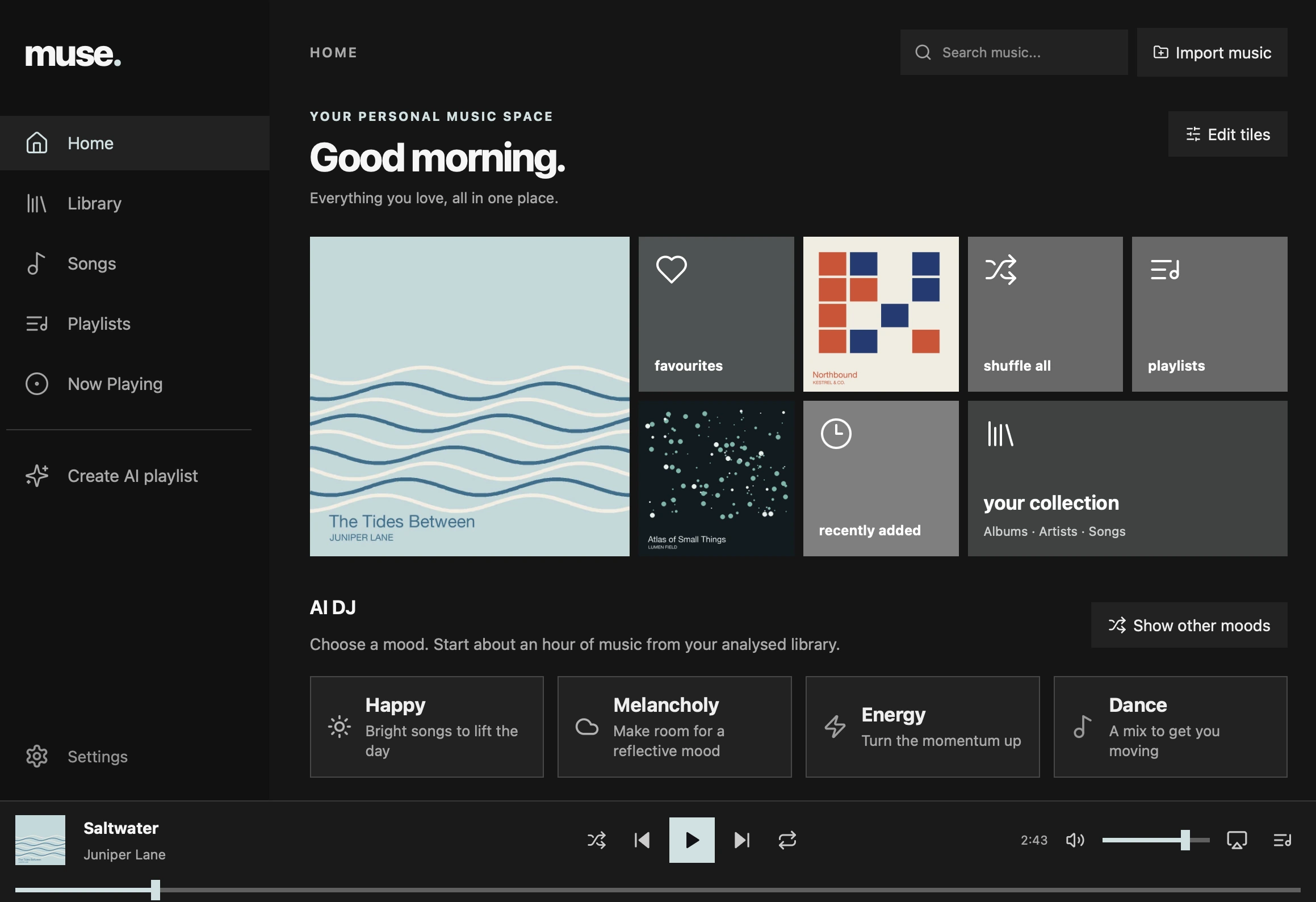
overview
Muse is a desktop music player for the music you already own. Point it at your folders and it builds a fast, searchable library from your tags and embedded artwork, without changing a single source file and without a cloud account.
It is a Tauri 2 app. A React and TypeScript interface sits on a Rust core that owns the catalog, the files and playback. Streaming from your own server and AI album info are opt-in extras; everything else runs offline.
screens
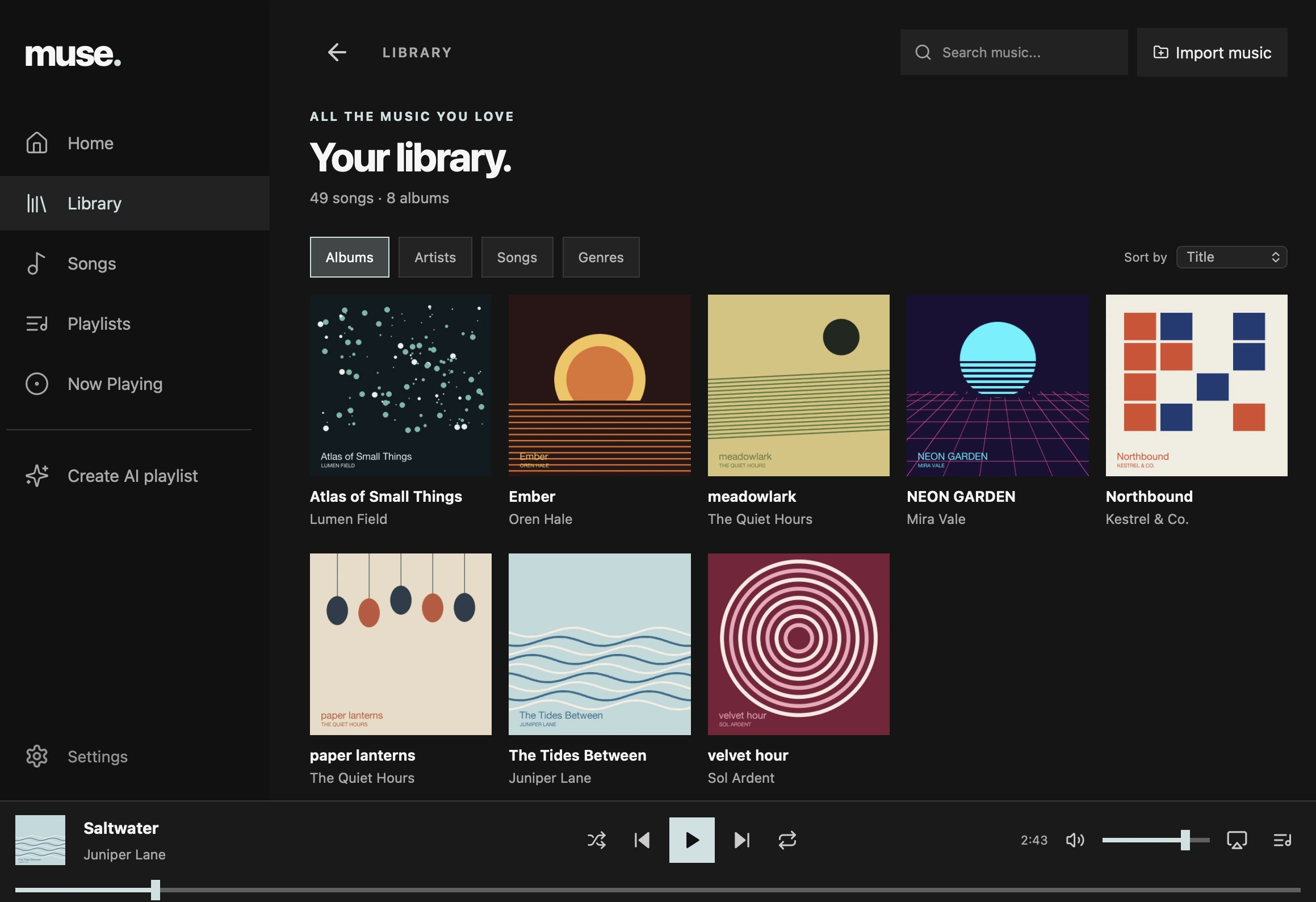
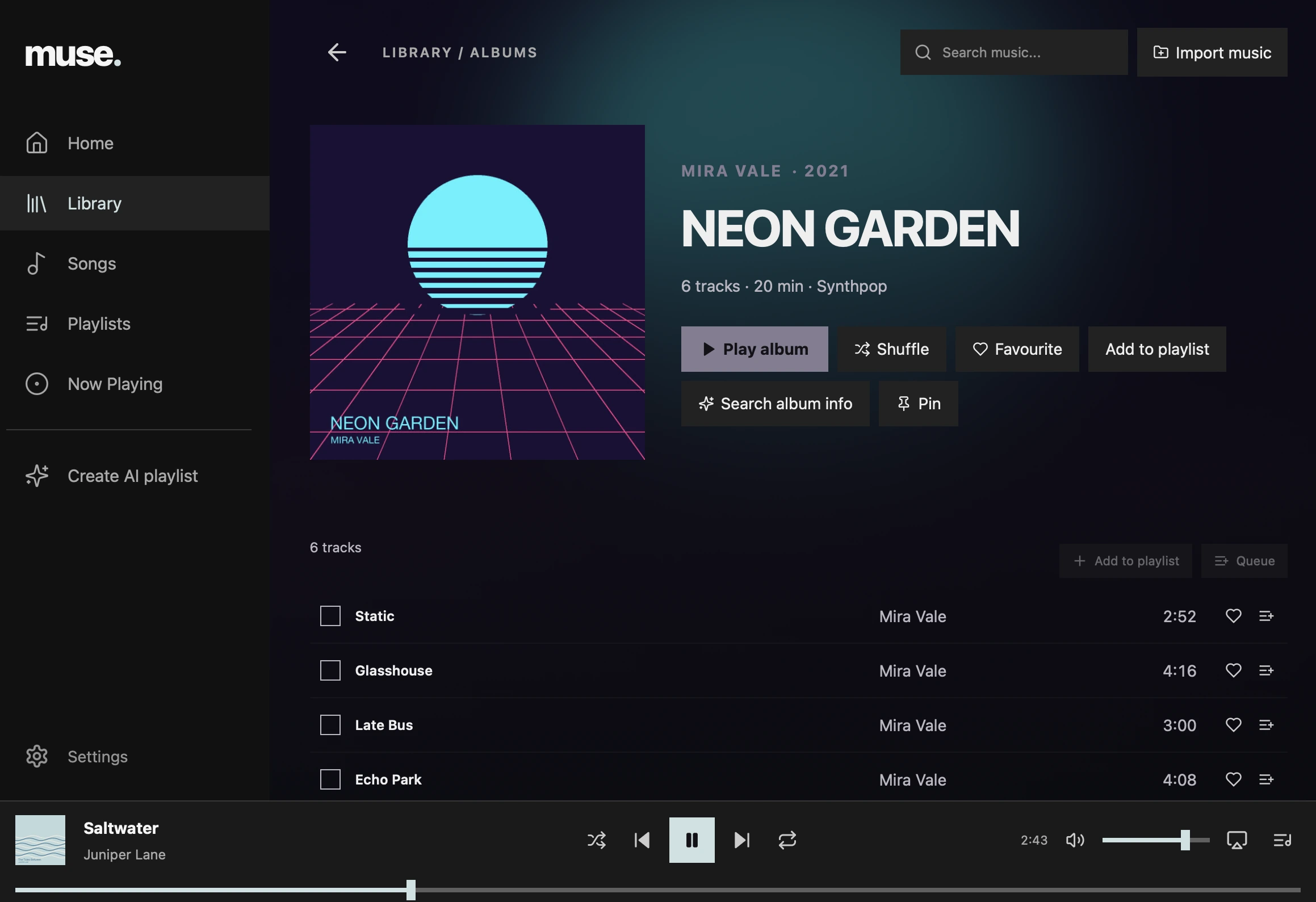
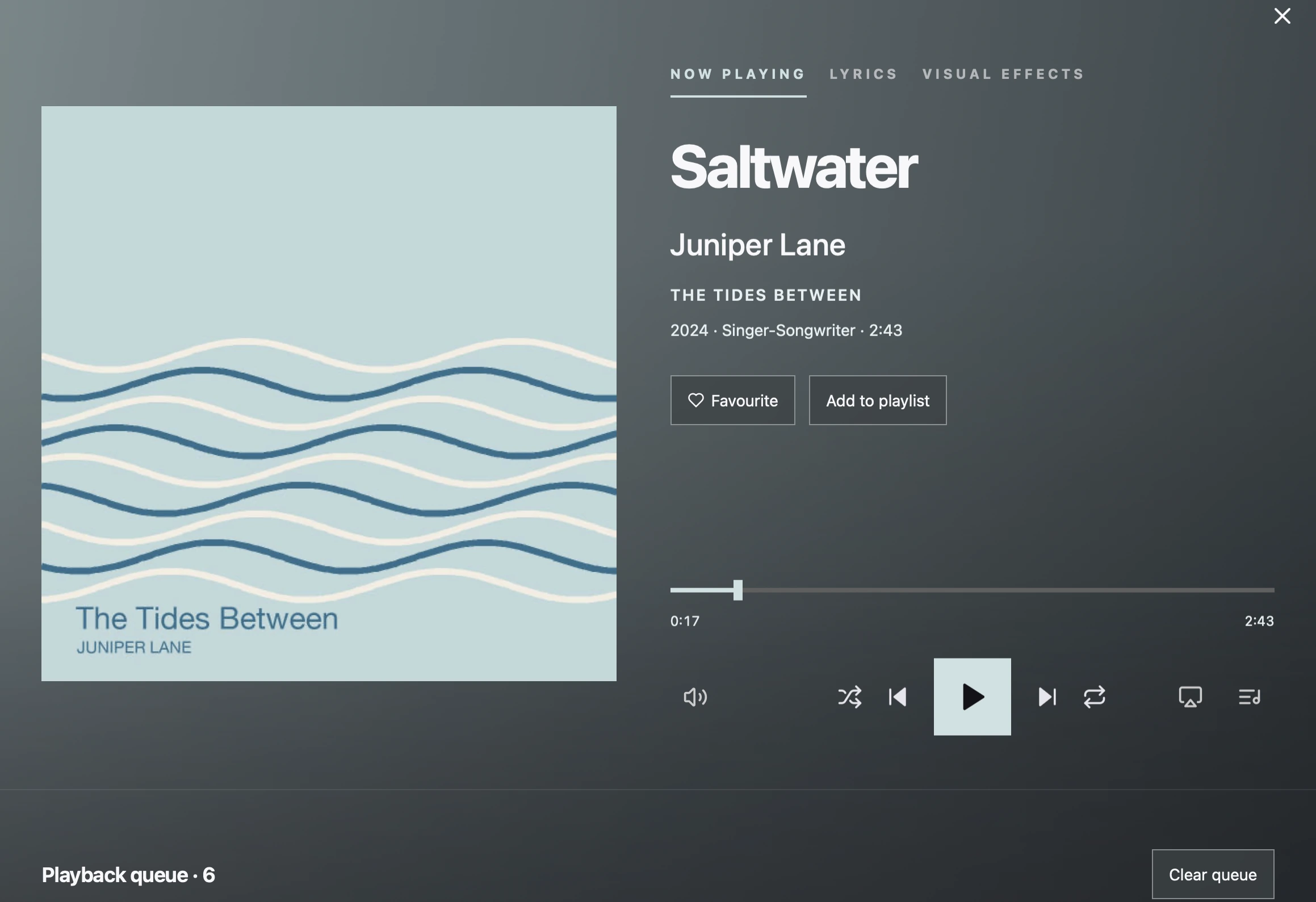
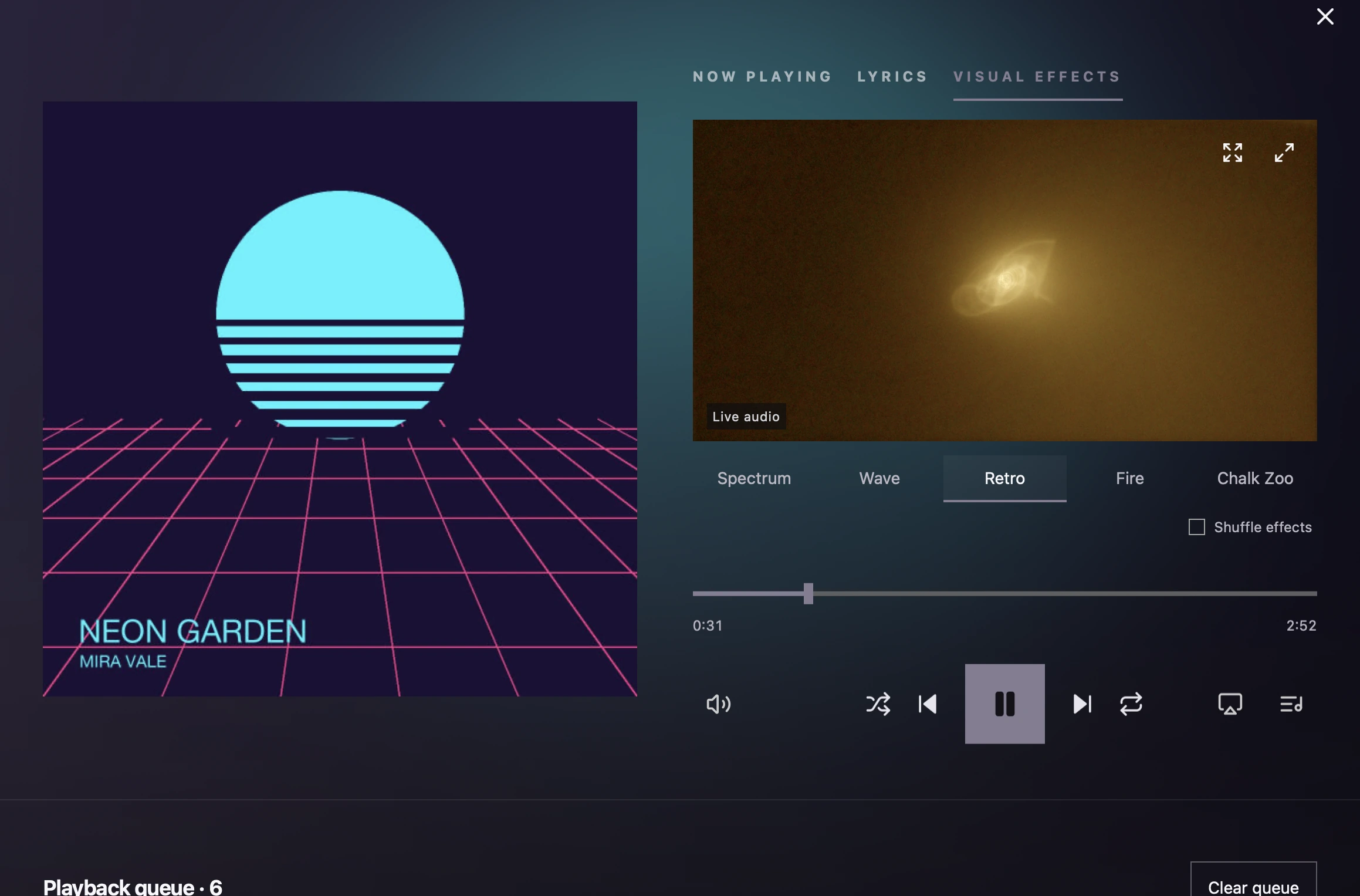
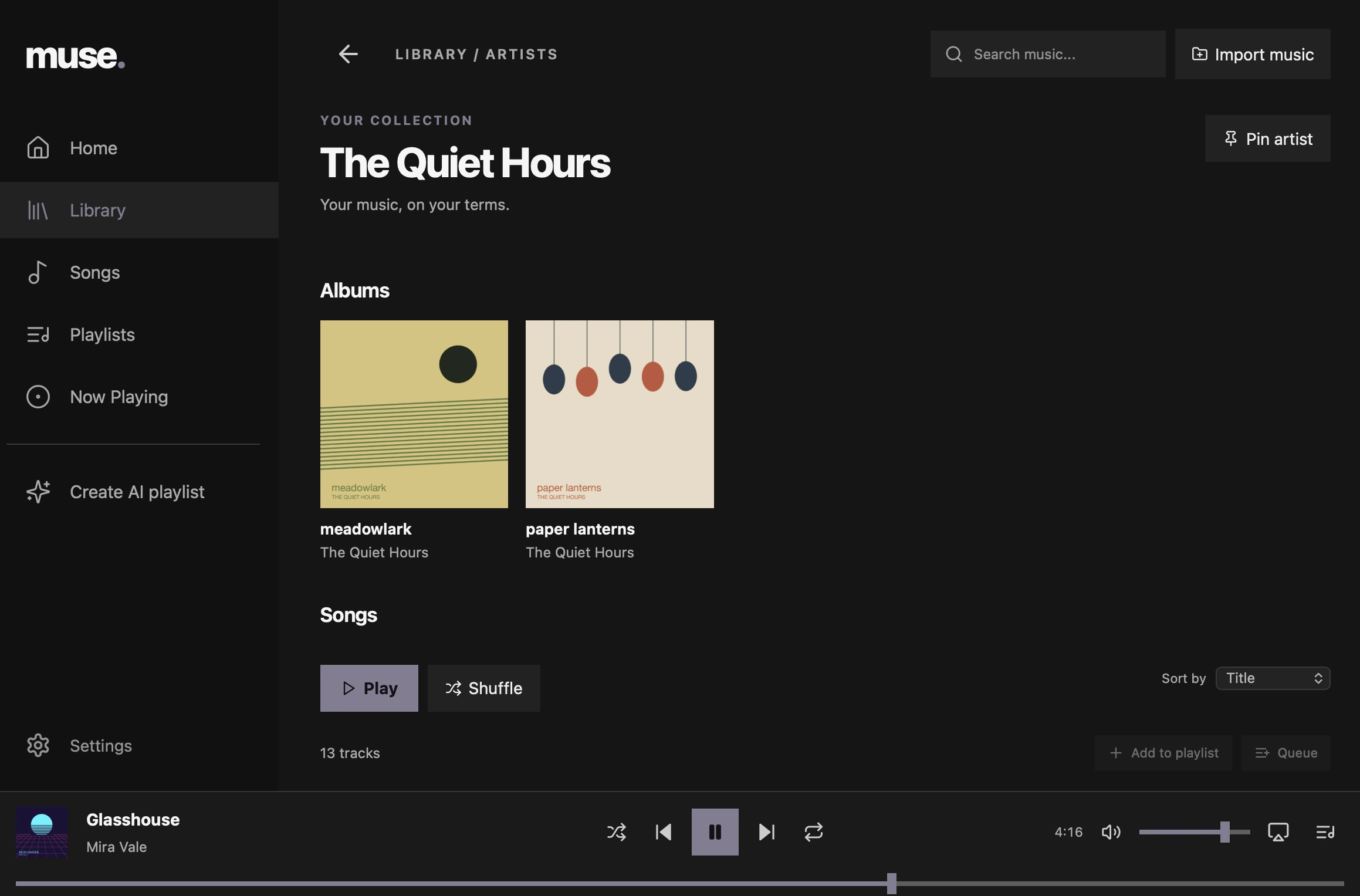
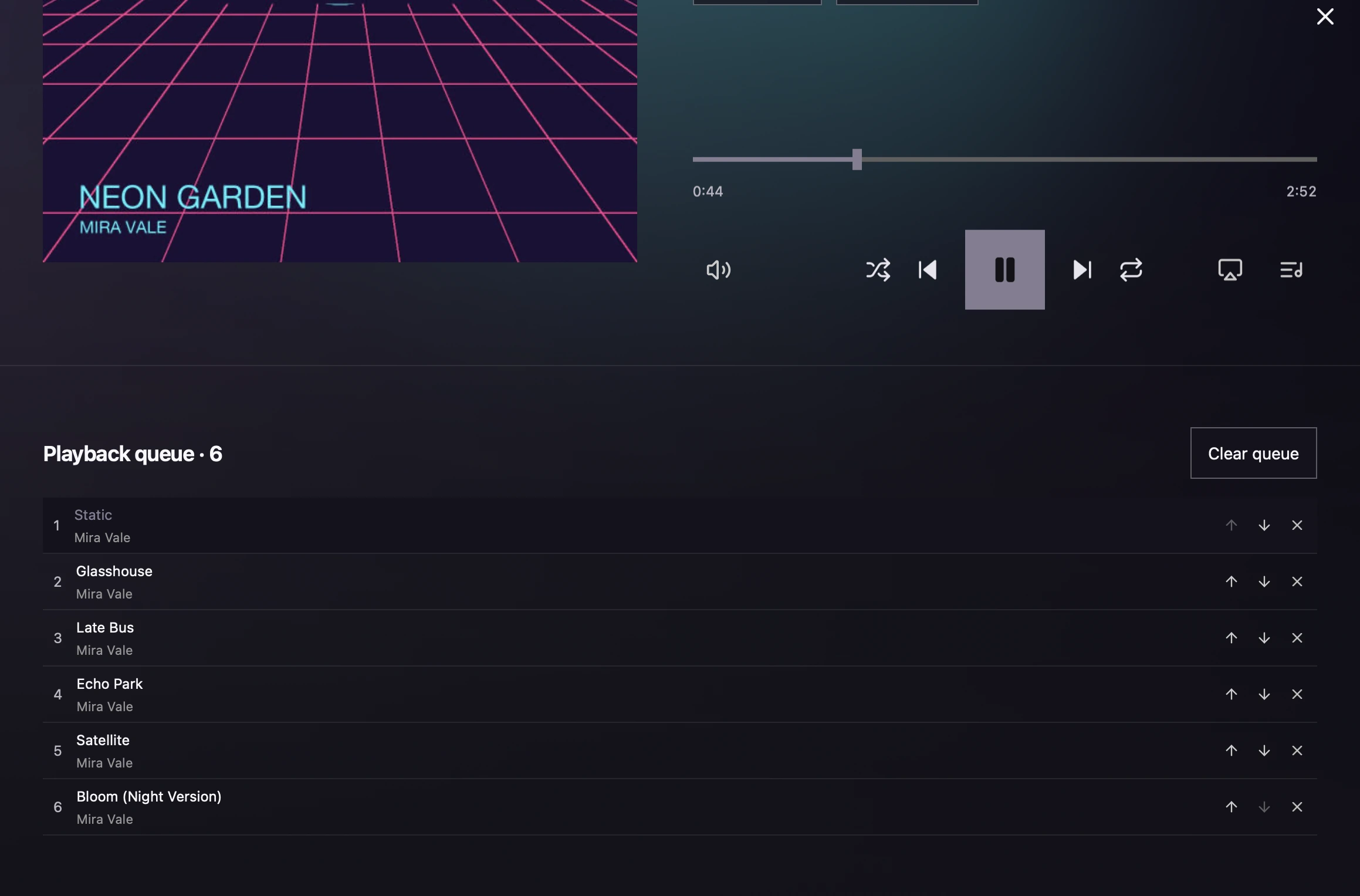
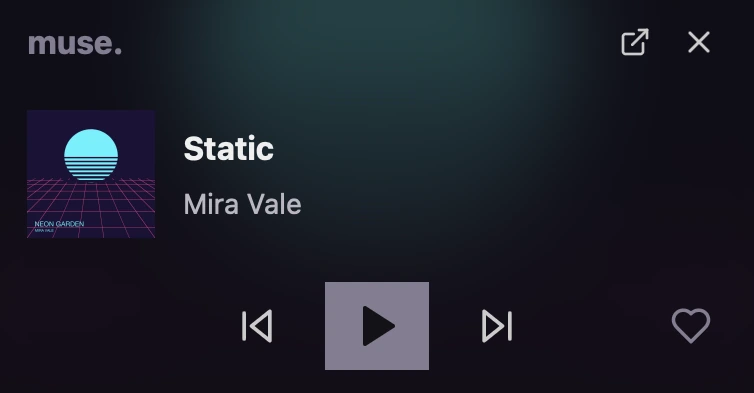
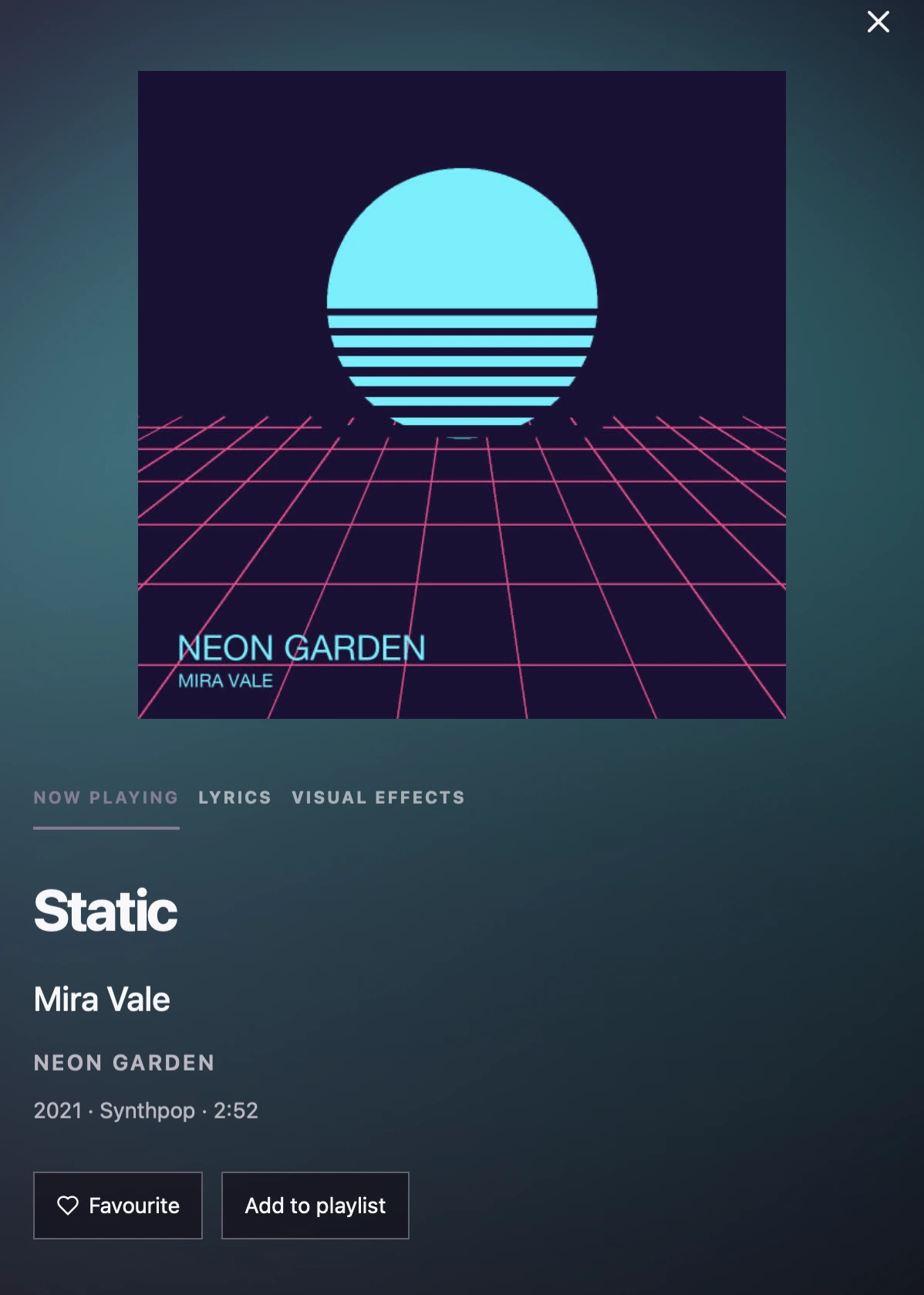
Screenshots use a generated demo library. All artists, albums and artwork shown are fictional.
features
Library and search
Albums, artists, songs and genres with sorting, backed by a local full-text index. Long lists stay smooth with virtualised rendering, tested at 12,000 tracks.
Native playback
A dedicated audio thread runs the queue, shuffle, repeat, seeking and volume. Keyboard shortcuts and OS media keys work throughout. MP3, FLAC, WAV, AAC/M4A and ALAC.
Your own server
Connect over SSH/SFTP with an existing key, verify the server fingerprint, sync remote tags and artwork, and stream tracks. The audio stays on the server.
AI album info
Identify an album from its tags and track list, find catalogue artwork, and review every change before applying it. Audio files are never modified.
Background mini player
Close the window and keep listening. A compact menu-bar player shows the artwork with previous, play/pause, next and favourite.
Visual effects
Five visualisers react to the music, including a Retro mode built on butterchurn with MilkDrop presets.
how it's built
Interface
- React and TypeScript, built from a Metro-style prototype
- Zustand state and typed Tauri commands
- TanStack Virtual for long track and queue lists
- Web Animations API for album transitions, with a reduced-motion fallback
Native core (Rust)
- SQLite in WAL mode with FTS5 full-text search
- Background scanner with filesystem notifications and periodic reconciliation
- Rodio and Symphonia decoding on a dedicated playback thread
- OS media controls, tray icon and window lifecycle
How I built it
I built Muse with AI coding agents, inside a process designed to keep the output reviewable.
- Every feature starts as a written spec and plan: 45 documented cycles so far, all public in the repo.
- Nothing is committed until typecheck and lint pass; relevant tests run on every change.
- More than 200 automated tests: 139 frontend tests and 92 Rust tests, using generated audio and temporary databases.
- CI runs the frontend and Rust checks on every push.
engineering
Files keep their identity
Scans compare size and modification time, then hash new or changed files. Moves match by content hash, identical copies share one track, and edits in place keep favourites and history.
Drives come and go
A disconnected drive marks its tracks unavailable instead of deleting them, so metadata, playlists and history are still there when it comes back.
Streaming never blocks audio
Remote tracks decode in the background into a bounded buffer of about 544 KiB. The audio callback never waits for the network; a slow connection plays silence instead of stalling the clock.
Your music stays untouched
Muse reads tags and artwork but never writes to source files. AI results and edits live in its own database.
more technical detail
Keeping the UI thread free
Native commands dispatch blocking work off the UI thread, and each worker has its own SQLite connection. Tracks load in pages of 200, search is debounced, and playback clock events carry a small payload rather than the whole queue.
Artwork cache
Embedded pictures are validated and cached as JPEGs up to 600 pixels. Missing or invalid artwork falls back to a text-and-colour tile from the original prototype.
Server trust
Every SFTP reconnect checks the accepted host fingerprint before authenticating. A changed key fails closed, and replacing trust is an explicit, reviewed step. Private keys never reach the webview.
Album transitions
Opening an album carries a shared artwork clone from the grid to the album header; Back reverses it and restores sort, scroll and focus. Resize, scroll or unrelated navigation cancels the animation safely.
status
Works today
- Local library, search, playback, queue, playlists and favourites
- SSH/SFTP remote library with streaming
- AI album info with review before applying
- Background playback with a menu-bar mini player
- Visual effects and lyrics
Not yet, or out of scope
- Verified on Apple Silicon Macs only; Windows and Linux builds are untested.
- Plex support is built but hidden while unfinished.
- Mood playlists need a local music analysis step first, and that setup is still rough.
- When an SSH source disconnects, its songs still show in the library; hiding them until reconnect is planned.